Building a reliable emergency response network for parents
When an older parent lives alone or spends time at home while family members are at work, the question of what happens in an emergency can weigh heavily. A fall, a sudden illness, or a moment of confusion can leave someone unable to reach the phone. A family monitored medical alarm is one way to close that gap, but the device itself is only part of the picture. What makes the difference between a gadget and a real safety net is the response network built around it.
What a family monitored medical alarm is
A family monitored medical alarm is a wearable device - typically a pendant or wristband - that lets the user call for help at the press of a button. Unlike traditional systems that route calls to a remote call centre, this type of alarm sends alerts directly to a list of family members or other trusted contacts. The people who know the user best become the first responders. They can assess the situation, call 111 if needed, or simply talk the person through a moment of distress.
The device usually includes fall detection, which can trigger an alert automatically if a fall is detected and the user cannot press the button. Two-way voice lets the person speak with the contact who receives the alert, so the contact can ask questions and decide what to do. GPS location is often built in, which helps if the person is outside the home or has wandered.
How the response network works
The network starts with a contact list. The person wearing the alarm, together with a family member, sets up a priority order of people who will be notified when an SOS button is pressed or a fall is detected. The first contact gets an SMS alert with the wearer\'s location and a link to a two-way voice call. If that contact does not respond within a set time, the alert moves to the next person on the list. This cascade continues until someone acknowledges the alert and starts talking to the wearer.
That conversation is the critical step. The contact can hear the person\'s voice, ask what happened, and decide whether the situation requires an ambulance or a simple reassurance. Because the contact is a family member or a close friend, the conversation can be as brief or as detailed as needed. There is no call-centre script, no hold time, no repeating of details to a stranger.

If the situation is serious, the contact can call 111 emergency services directly. The GPS coordinates from the alarm help the dispatcher find the person quickly. The contact stays on the line with the wearer until help arrives, or can guide a neighbour or another relative to the spot.
What this means for the reader
For families who live at a distance or work during the day, a family monitored medical alarm shifts the responsibility from a central monitoring station to the people who already care. That sounds straightforward, but it requires some thought to make the network reliable in practice.
The contact list matters more than the device itself. A list with only one person is fragile. If that person is in a meeting, asleep, or has their phone on silent, the alert may go unanswered. A good list has at least three contacts, ideally spread across different time zones or schedules. A sibling in another city can be a backup for a local sibling who might be driving. A neighbour who has agreed to help can be another layer.
Another consideration is how the contact list is maintained. People change phone numbers, move, or shift their availability. Setting a reminder every six months to review the list and test the system keeps the network current. The wearer should also know who is on the list and have a way to update it if their preferences change.
Two-way voice is not just a feature - it is the link that turns an alert into a conversation. When the contact speaks through the device, the wearer hears a familiar voice, not an automated message. That reduces panic and confusion. The contact can ask simple questions: \"Are you on the floor?\" \"Can you see the time?\" \"Do you feel dizzy?\" The answers help decide the next step.
Fall detection adds a layer of safety for people who might not be able to press the button. It is not perfect - some falls are missed, and some movements trigger false alerts - but it catches many incidents that would otherwise go unnoticed. The sensitivity can often be adjusted, and the contact list handles false alarms the same way: someone checks in, hears that everything is fine, and the alert is closed.
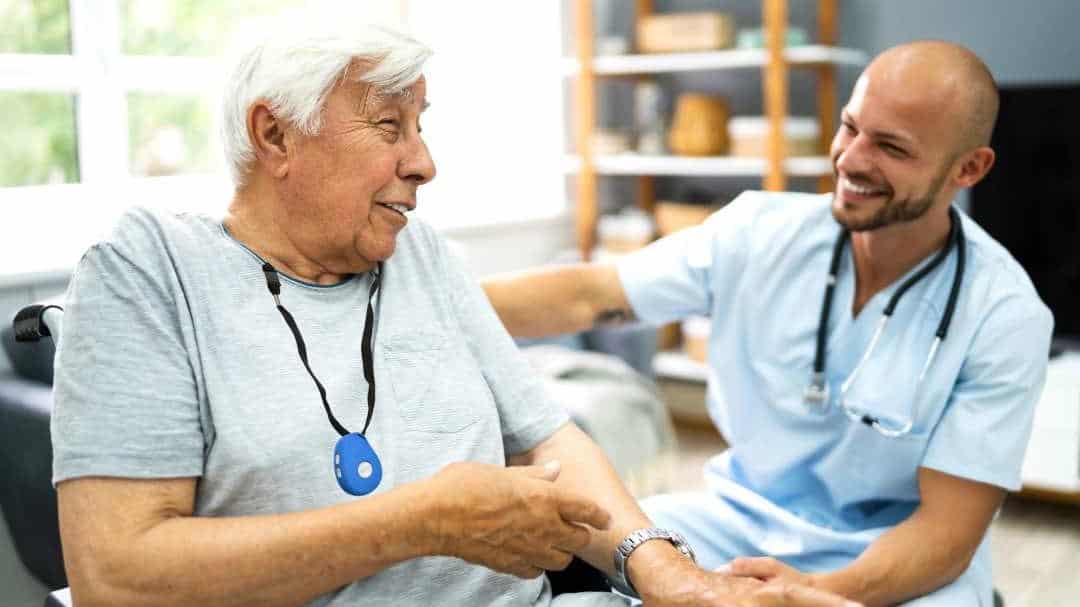
A familyr.co.nz system, for example, is built around this family-monitored model. The device sends alerts directly to the contacts the family has chosen, with no monthly monitoring fees and no third-party call centre. The family retains control over the response, which many people find more reassuring than a distant operator.
GPS location is useful in two scenarios. One is when the person is out walking, visiting a friend, or running errands. A fall in a park or a shop can still trigger an alert, and the GPS tells the contact exactly where to go or where to direct emergency services. The other scenario is wandering, which can happen with dementia or confusion. If the person leaves home unexpectedly, the GPS lets the contact see their location and call them to check in.
Battery life and charging habits are practical details that affect reliability. Most devices need to be charged every few days. If the device runs out of battery, the network is silent. A routine of charging overnight, or having a spare device that is charged and ready, prevents that gap. Some devices have a low-battery alert that sends a notification to the contact list, so the family can remind the wearer to charge.
Testing the system regularly is the best way to keep it reliable. Pressing the SOS button once a month, confirming that the alerts reach the right people, and doing a quick two-way voice test takes a few minutes. It also helps the wearer stay familiar with the device. If they only use it in an emergency, they may fumble or forget how it works under stress. A monthly test makes the action automatic.
Practical steps for setting up the network
Start by sitting down with the person who will wear the alarm. Discuss who they would want to be contacted first, and who they trust as a backup. Write the list in priority order, with phone numbers and time zones. Then set up the device according to the instructions, enter the contacts, and test the alert with each person. Ask each contact if they are willing to be on the list and if they understand what to do when an alert arrives.
After the initial setup, review the list every few months. People\'s schedules change, and a contact who was always available may now be harder to reach. Remove anyone who is no longer able to respond quickly, and add new people as needed. The contact list is a living document, not a one-time decision.
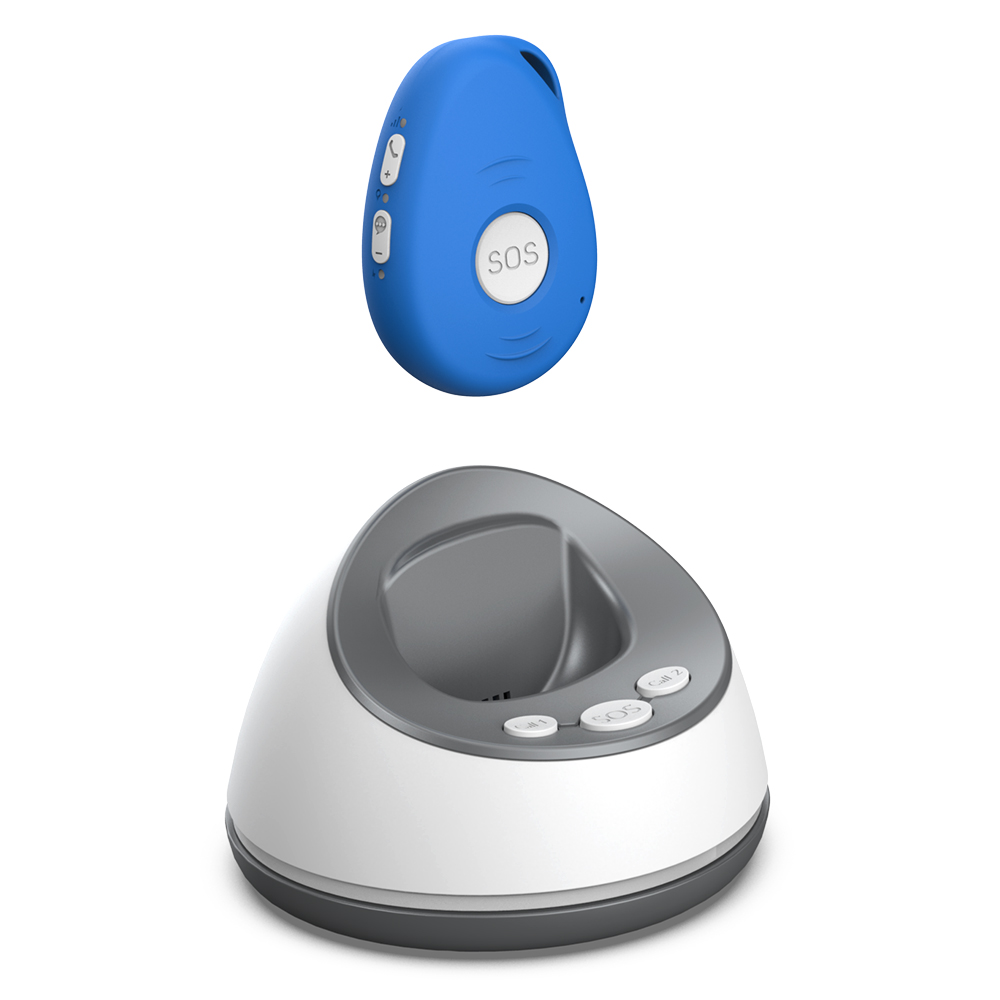
If the person lives alone, consider adding a neighbour to the list. A neighbour can check on the person physically within minutes, which is faster than any family member who lives across town. The neighbour should be someone the wearer knows and trusts, and who has agreed to the role in advance.
Finally, talk about what happens after an emergency. If an alert leads to a hospital visit, the contact list may need to be updated to include someone who can coordinate with the hospital. The device itself should be brought to the hospital so the person can still call for help if needed. Once the person returns home, test the system again and confirm that all contacts are still active.
A family monitored medical alarm is only as good as the network it connects to. With a well-thought-out contact list, regular testing, and clear communication among everyone involved, it becomes a reliable safety net that keeps the wearer independent and the family informed. The device provides the link, but the people on the other end make it work.